Coming soon to the Chrome Web Store

SEO Link Audit

Technical + content-grade SEO auditing inside Chrome. SEO Link Audit is a Chrome extension for deep link and on-page SEO review: duplicate and hidden link detection, link quality scoring, priority issues with developer-ready fixes, on-page highlight navigation, snapshot progress tracking, competitor comparison, and full export workflows (JSON, CSV, HTML, PDF).

Link Hygiene Score Issue Prioritization Export-ready Reports

At a glance

  • Chrome extension for technical and on-page SEO workflows
  • Link audit, issue workflow, and reporting in one place
  • Privacy-first: analysis runs locally in your browser
  • Launch model: free at first, paid advanced features later

Beta access — Try early builds before the Chrome Web Store release. Email to get install files when a slot is available.

Request beta access

Product overview

Built for teams who need clarity, speed, and fixes

SEO Link Audit reviews links and critical on-page signals directly in the browser context where decisions happen. It translates noisy diagnostics into a structured fix workflow developers and SEOs can execute quickly.

The launch version starts free for early users. Paid features will be added later for advanced reporting depth, larger team workflows, and expanded automation layers.

Product preview

Interface snapshots

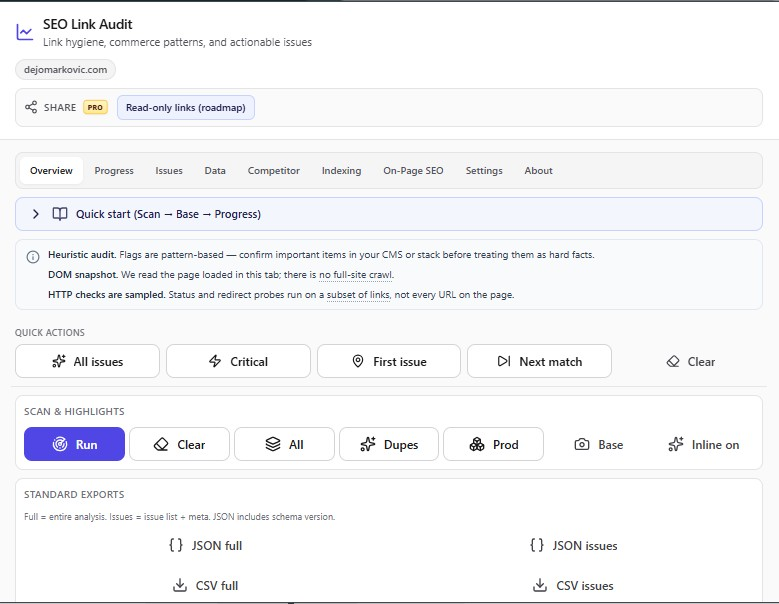
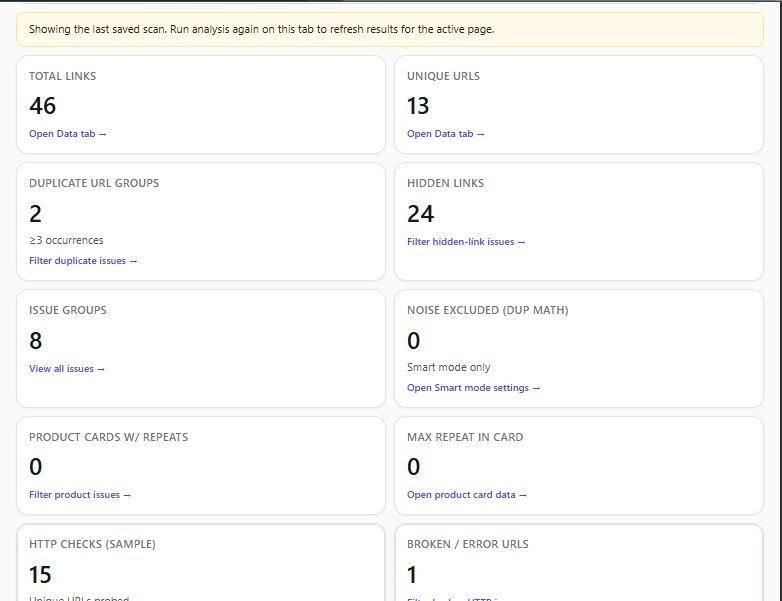
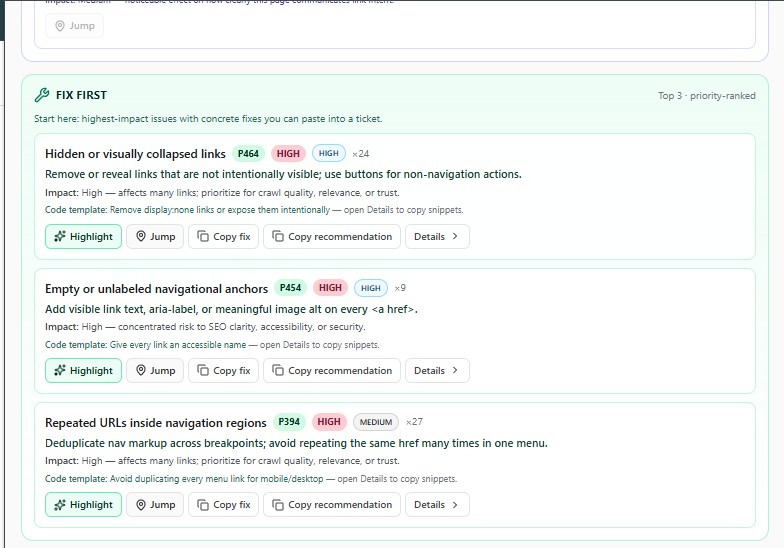
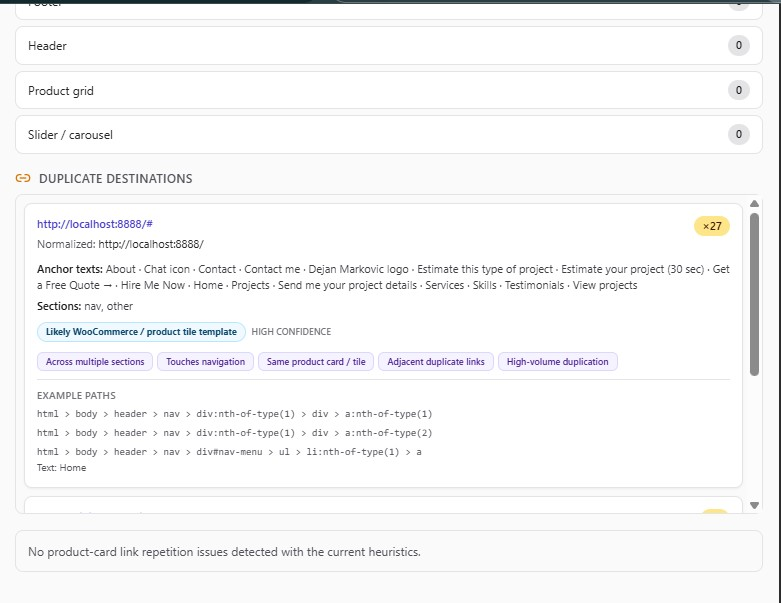
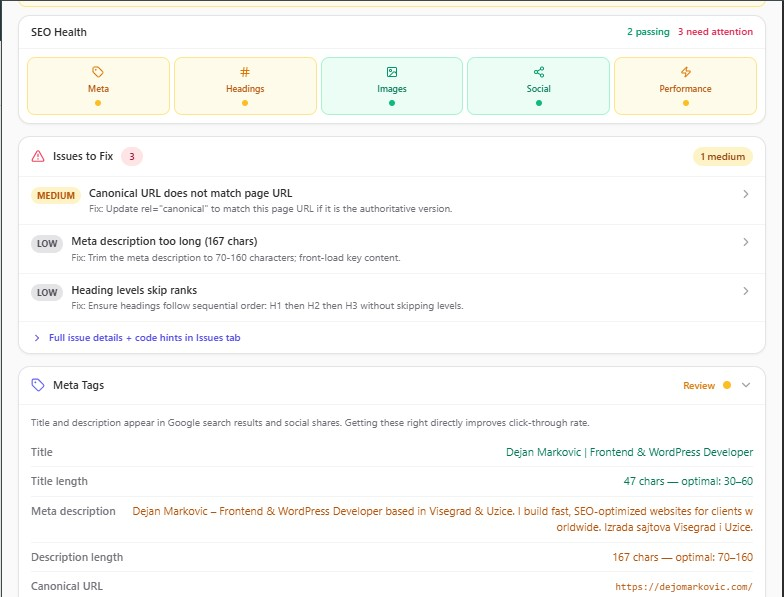
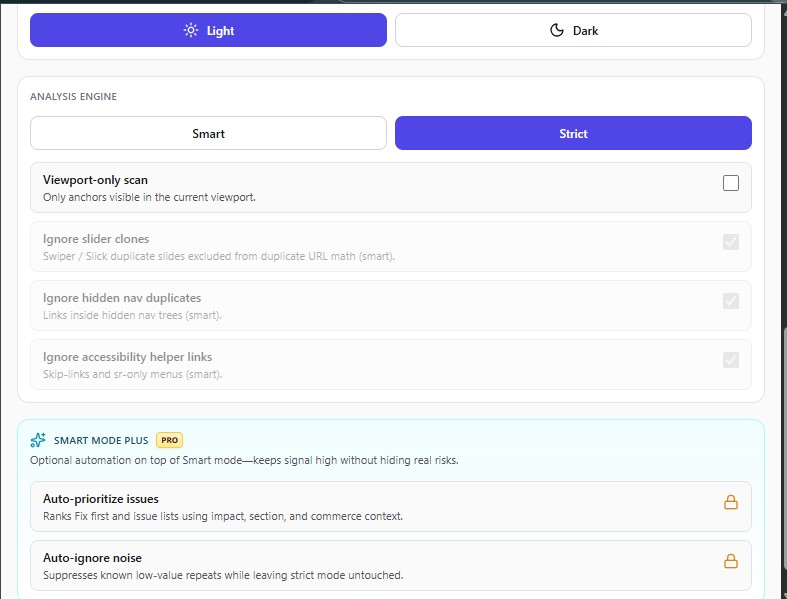
A quick look at the popup workflows, score views, settings, and analysis screens.

Click any screenshot to open full resolution.

SEO Link Audit — features

Advanced workflows, not just metrics

Link hygiene and quality signals

  • Link hygiene audit on the active page (internal/external analysis)
  • Duplicate link detection with repeat grouping
  • Hidden link detection and suspicious DOM patterns
  • WooCommerce/product-card repeated URL detection
  • Affiliate/paid outbound heuristics (sponsored, nofollow)
  • UGC link checks for comments/forums/discussions
  • Warnings for internal nofollow links in key content sections
  • Link Hygiene Score with signal-level breakdown

Issue intelligence and prioritization

  • Executive summary with fix-first and quick-win suggestions
  • Normalized SEO issue cards (severity, rationale, fixes, code hints)
  • Smart vs Strict modes to reduce noise links
  • Search and filters by severity, category, section, and query
  • Grouped issue views by UI category

On-page highlight navigation

  • Highlight all issues
  • Highlight only critical findings
  • Duplicate/product-focused highlights
  • Jump to first issue and cycle through elements
  • Toggle inline issue labels on/off
  • Clear all highlights in one action

Snapshot and progress tracking

  • One-click copy for URL, selector, and anchor text
  • Developer-oriented recommendation templates
  • Snapshot timeline with baseline + checkpoints per URL
  • Before-vs-after progress comparisons
  • Import/export snapshot history (JSON)
  • Competitor scan from popup in a background tab
  • Side-by-side competitor comparison metrics

Reporting and dev handoff

  • Standard exports: JSON and CSV (full or issues-only)
  • Executive HTML report for stakeholders
  • Printable report flow for PDF
  • Developer JSON/CSV task export
  • Copy tasks directly to clipboard

Crawler, on-page, and platform layer

  • Crawler/indexing panel (meta robots + indexing checks)
  • On-page SEO tab (meta, headings, content quality, structured signals)
  • Persistent local storage for results, settings, and snapshots
  • Dark mode and popup UI preference settings
  • Privacy-first local analysis with no vendor server dependency

What it does

From scan to fix — without leaving your tab

The workflow is designed to match how SEOs and developers actually work: scan, review, drill down, export when you need to share results, and compare over time as pages change.

  1. Scan the active page Run an audit on the URL you have open — no separate project setup required for core analysis.
  2. Review score and priority issues See an overview of health and what to tackle first, not just a flat list of warnings.
  3. Inspect on-page SEO Validate titles, meta, headings, links, social tags, and more in context.
  4. Highlight and navigate issues Jump to elements that need attention so fixes are quick and repeatable.
  5. Export reports Share structured output with stakeholders when reviews need to leave the browser.
  6. Compare changes over time Track progress and baselines as content, templates, and plugins evolve.

Feature areas

Everything you need for serious page-level SEO

Core capabilities are grouped so you can move between audit, analysis, and reporting without losing context.

Link audit

Internal, external, and unique links — with signals that help you catch risky patterns early.

Overview dashboard

A single place to see how the page scores and what deserves attention first.

Issues workflow

Prioritized issues with a path from discovery to resolution.

On-page SEO analysis

Deep checks for meta, headings, links, and structured signals on the page.

Progress / baseline compare

See what changed between audits so regressions do not slip through.

Competitor scan

Bring the same lens to competitor URLs when you need a grounded comparison.

Indexing signals

Context for how search engines may interpret robots, canonicals, and related hints.

Export & reporting

Output you can hand to clients or attach to tickets and sprints.

Highlights & navigation

Move from a finding to the exact element on the page without guesswork.

Privacy-first local analysis

Core auditing runs locally — you stay in control of what leaves your machine.

On-page SEO

Signals the extension is built to cover

These are the on-page checks teams rely on for publish-ready pages — from marketing sites to ecommerce templates.

  • Title tag and title length
  • Meta description and length
  • Canonical URL
  • Meta robots
  • Heading hierarchy (H1–H6)
  • Images with and without ALT text
  • Internal, external, and unique links
  • Open Graph and Twitter tags
  • robots.txt and sitemap.xml (where available)
  • Core Web Vitals (where available in context)
  • Word count

Why it stands out

SEO insight with a developer-friendly workflow

Most tools stop at scores. SEO Link Audit is aimed at people who actually change templates, fix redirects, and ship patches — SEO specialists, WordPress and WooCommerce developers, agencies, and ecommerce teams who need practical fixes, not another dashboard of vanity metrics.

The product sits between spreadsheet exports and heavy enterprise crawlers: fast enough for day-to-day checks, structured enough to brief stakeholders, and grounded in the real DOM you are about to edit.

Use cases

Who gets the most from this workflow

SEO specialists

Ship audits and recommendations with evidence attached — straight from the page you are reviewing.

WordPress / WooCommerce developers

Validate theme and plugin output on real URLs before and after deploys.

Agencies

Keep reviews consistent across client sites without everyone installing a separate desktop stack.

Freelance consultants

Turn around page-level reviews quickly and export when the engagement needs a paper trail.

Privacy & trust

Your results stay under your control

The extension is designed so core analysis can run without sending page content to a proprietary backend just to show you a score.

Local-first results Audit output for core workflows stays in your browser session unless you choose otherwise.
Explicit exports When you generate a report or shareable output, that action is intentional — not silent telemetry dressed up as a feature.
No required cloud backend Core usage does not depend on logging into a separate cloud platform just to audit a page.

Chrome Web Store launch — coming soon

SEO Link Audit is in active development with a public Chrome Web Store release planned next. The initial release is planned as a free extension for early adoption, with paid feature tiers added in future iterations for advanced team automation and reporting workflows.

If you want early access and want to test beta builds before the Chrome Web Store launch, email dejan98vgd@gmail.com.

Next steps

Explore the sections above for the full picture, then get in touch if you want to talk about the product, a partnership, or your next site project.